The AI punch list app you talk to.
No forms, no templates, no project to set up. Type an address, photograph the first item and say what is wrong. The AI writes the rest.
One free report a week · Up to 10 items · No card
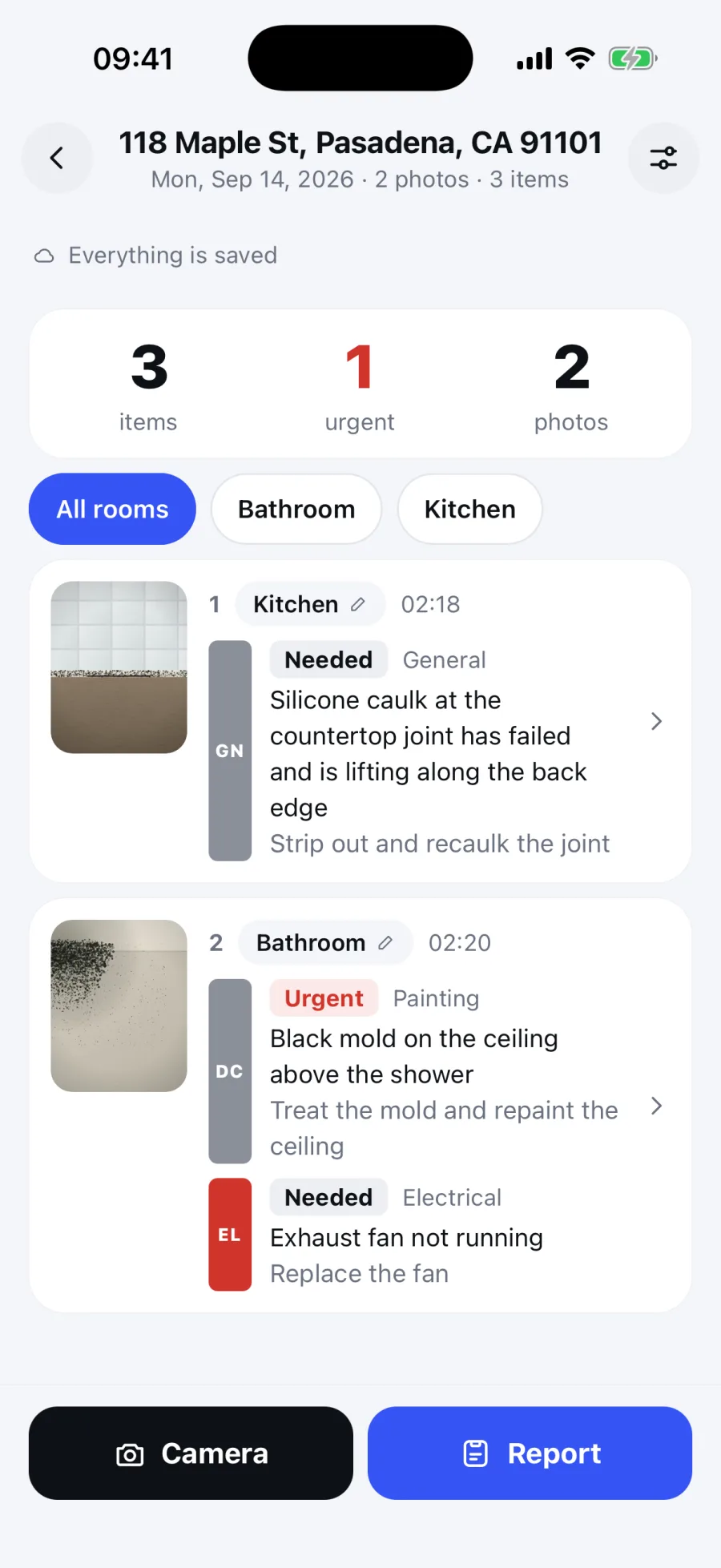
Actual iPhone app. Demonstration walkthrough.
What it does on site
Everything happens in the room, one-handed, while you are looking at the thing you are recording.
Point and shoot
Photos land in a strip in front of you. Nothing to file and nothing to name. The camera stays open, so the next item is one tap away.
Circle it with your finger
Draw straight on the picture. It travels with the line, so nobody has to guess which crack or which outlet you meant.
Hold and talk
Say what is wrong in your own words. It comes back as a written line carrying the defect, the action, the trade and the urgency.
Rooms by saying them
Say the room once and everything after it belongs there until you say another. No dropdown, no floor plan, no setup.
Video and voice kept
Clips and the original audio stay attached, so anyone reading the report can hear what you said standing there.
No signal, no problem
Photos and notes save on the device while you capture. Open the browser app online before a walkthrough. AI drafting, uploads and sharing need a connection.
One item, end to end
A photo, the sentence you said in front of it, and the line that came out. That loop is the entire product.
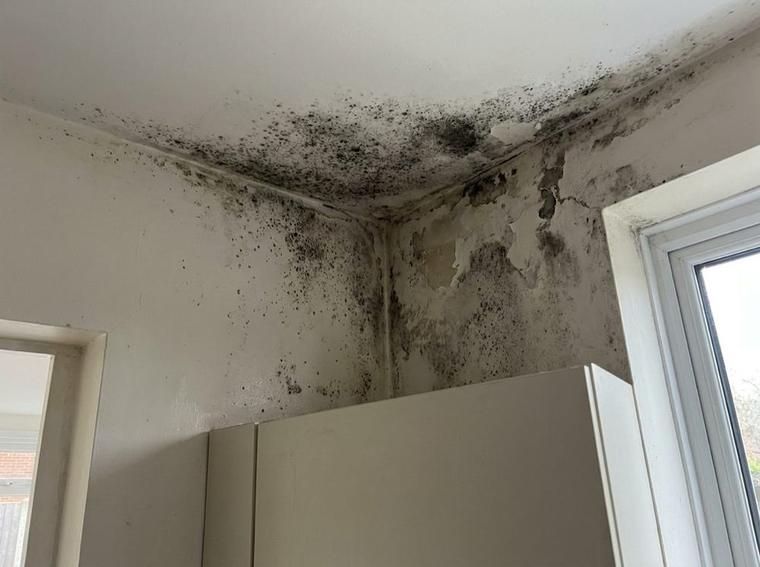 Aug 21 2026 · 10:42
Point, shoot, circle it with your finger.
“Okay, kitchen. There’s black mold all up the corner where the wall meets the ceiling, above the counter. Needs a fungicidal wash, seal it and repaint. That one’s urgent.”
Your own words, held down for as long as it takes.
DefectBlack mold at the wall and ceiling corner above the counter
ActionTreat with fungicidal wash, seal and repaint
Location, defect, action, trade, priority. Nothing added that you did not say.
And this is what comes out
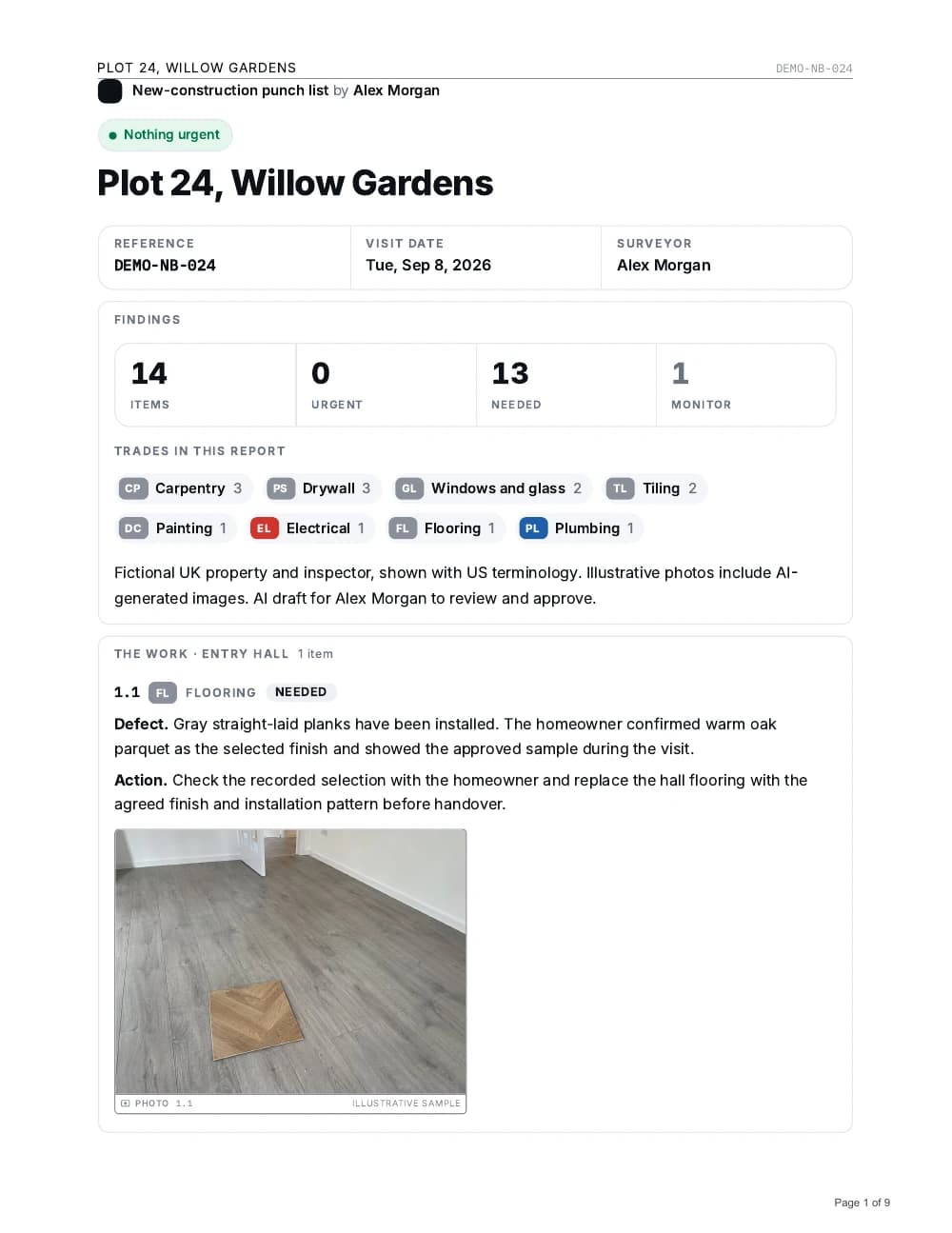
One document per walkthrough, grouped by room for the field and by trade for the pricing, with your photos and your circles on the lines they belong to.
For the contractor
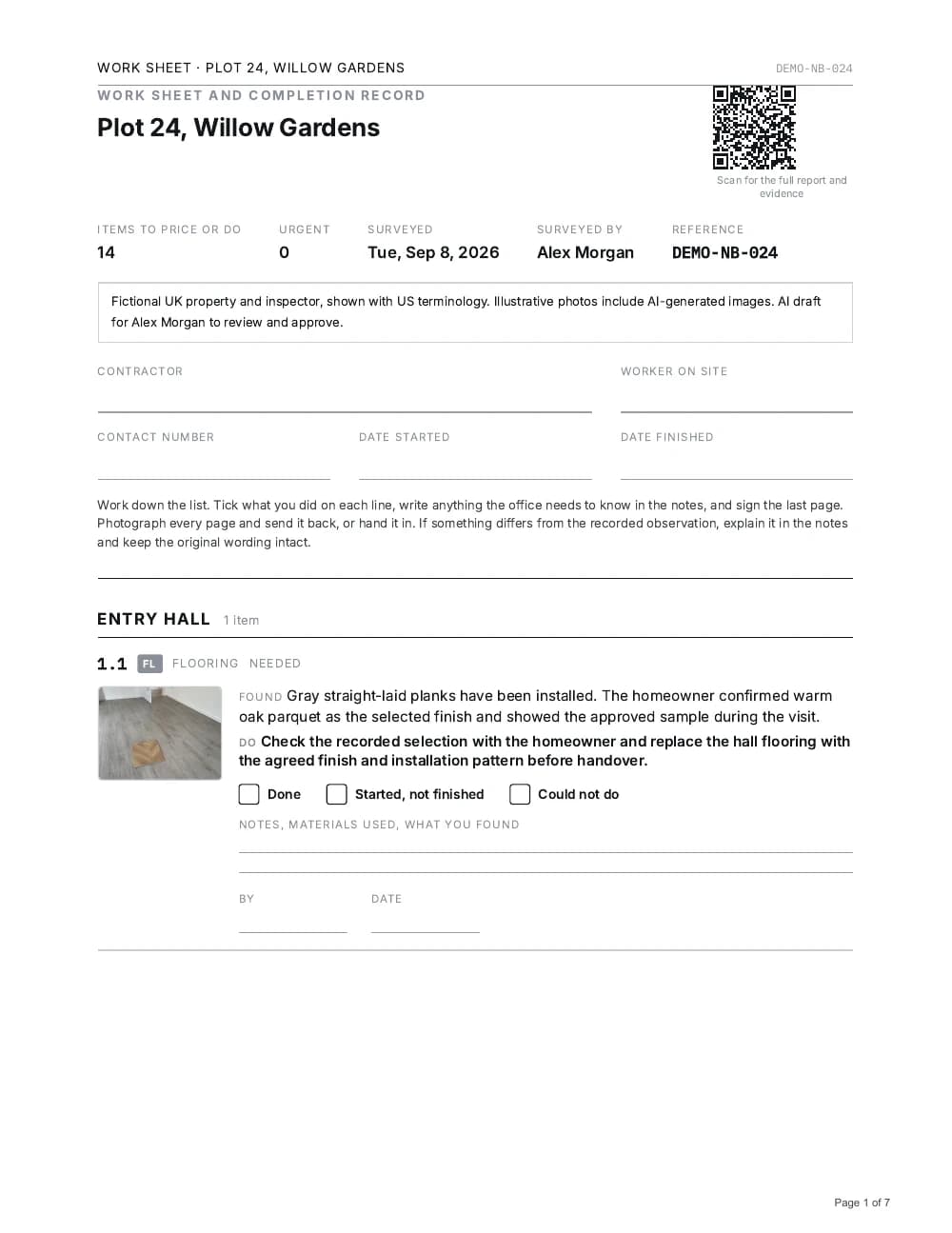
Work sheet
The same 14 numbered items. Print it for notes, materials used and completion.
Open the 7-page work sheetRoom order, or trade order?
Both. The same items, listed twice, so the field crew and the estimator each read the order that suits them.
By room, for the walk
By trade, for the pricing
It is not only for new construction
The same walk produces the same document whatever put you in the building.
Punch lists and closeout
Substantial completion, a list per unit, and a document each sub can be sent their own part of.
Bidding and estimating
An hour on site becomes a scope grouped by trade, out the same afternoon while your competition is still typing.
Property condition and turnover
Move-in, move-out, and a dated photographic record to support discussions about the repair work.
Insurance and disputes
What was wrong, where, and on what date, with the photo attached to the line rather than sitting in a folder.
The defect is not what costs you. The missing record is.
Nobody loses money because a wall was wet. They lose it because six months later there is nothing to show it was wet that day, who was told, and what was agreed.
cause of construction disputes worldwide
Arcadis tracks the causes of construction disputes globally. Poorly drafted, incomplete or unsubstantiated claims sits in the top three every year, and has taken the top spot. Not the work. The paperwork behind the claim.
Arcadis Global Construction Disputes Reportis all the evidence you will ever get
You are in that unit once before the trades move on. Whatever you failed to photograph and describe while you stood there is gone, and reconstructing it from a camera roll two weeks later is guesswork with your name on it.
between opening it and the first photograph
Type the address and go. No project to configure, no template to pick, no checklist to build first. The tools that ask for that get abandoned in the parking lot.
The dispute figure is Arcadis’s industry research, not ours, and we do not claim it as our result. The other two describe how the product works, and carry no citation because they are not research.
Whether this is for you
You will probably get on with it if
- You would rather talk than type, and you talk about buildings all day.
- You already take the photos. You just never turn them into anything.
- You want the job written up before you get back in the truck, not after dinner.
- You think a line nobody can price is not a line.
- You have lost an argument once for want of a dated photo, and you did not enjoy it.
It is probably not for you if
- You want to configure templates, checklists and workflows before your first photo. There is nothing to configure and that is deliberate.
- You need assignees, due dates and a close-out workflow. This records what is wrong. It does not manage the fixing.
- You want the app to estimate quantities or costs. Record those yourself and check the AI draft before sharing.
- Somebody else already writes your walkthroughs up perfectly, for free.
Start free. Share one report a week free, up to 10 items. AI usage limits apply. What it costs after that.
Questions people ask
Is SayScope on the App Store and Google Play?
Yes. SayScope is on the App Store for iPhone and on Google Play for Android, in the US, UK and French stores. Download it, start a walkthrough without an account, and your free allowance begins straight away.
Do I need an account?
You can try your first walkthrough without an account. In the iPhone app, free sign-in with Apple or Google is required from the second walkthrough and links your work to your account. The browser version saves work in the browser you use; keep that browser’s data to retain access.
Does it work with no signal?
Yes, for capture after the app has been opened online. Photos, clips and voice notes save on the device. Cloud AI drafting, uploads and sharing need a connection.
Does it invent anything?
The AI is designed to draft from your notes without adding quantities, costs or causes you did not state. It can still make mistakes. Check and correct every line before sharing; your review and sign-off are essential.
Can I edit a line afterwards?
Yes. Every line is editable before you send it, and the report is signed off in your name because you are the one standing behind it.
What does it cost?
Capture photos, record notes and review your reports for free. Share one report every seven days with up to 10 items. Cloud AI transcription and drafting have a separate usage allowance, explained on the pricing page. In the iPhone app, Pro removes the weekly export limit and item cap for $34.99 a month or $299 a year, and one report costs $19 without a subscription. Paid plans are bought on the US App Store, not through the browser. Every report carries a Made with SayScope credit.
Open it. Type an address. Start.
Start free. Share one report a week free, up to 10 items. AI usage limits apply.
One free report a week · Up to 10 items · No card