The AI snagging app with nothing to set up.
Every other snagging app makes you build a project before you can take a photo. This one opens on the camera. Type the address, walk the property, and the AI writes the report while you work.
One free report a week · Up to 10 jobs · No card
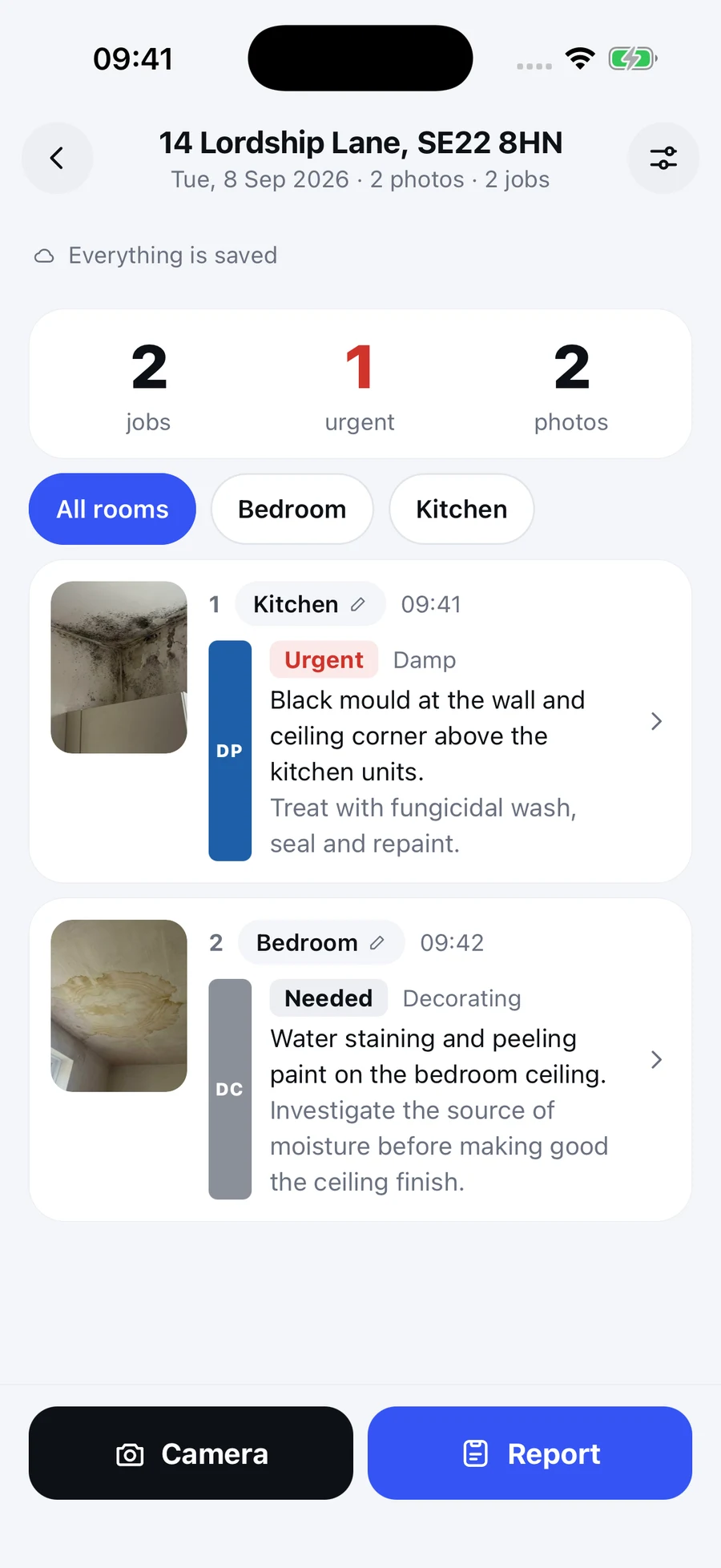
Actual iPhone app. Demonstration visit.
Why the others feel like work
Most snagging software was built for new build handover QA at scale: projects, blocks, plots, units, assignees, statuses, close-out workflows. All of it has to be configured before anyone can photograph a cracked tile.
What they ask for first
- Create a project
- Add a block, a floor and a unit
- Choose or build a template
- Assign a trade and a due date
- Invite your team
- Then, finally, take a photo
What this one asks for
- Type the address
- Take the photo
There is no third step. Rooms are named by saying them out loud while you walk, trades are worked out from what you describe, and the report is assembled as you go.
What it does on site
Photograph and circle
Draw on the photo with your finger. The circle is what stops the argument about which crack you meant, and it prints on the report.
Hold and talk
Say what is wrong the way you would say it to someone standing next to you. It comes back as a written defect line with the trade and the urgency.
Say the room once
Name a room and everything after it is filed there until you name another. You never stop to categorise anything.
Video clips too
Some defects only make sense moving: a rattling extractor, a door that drops, water that will not drain. Record it and it attaches to the line.
Works with no signal
Photos and notes save on the device while you capture. Open the browser app online before a visit. AI drafting, uploads and sharing resume when you have a connection.
One report out
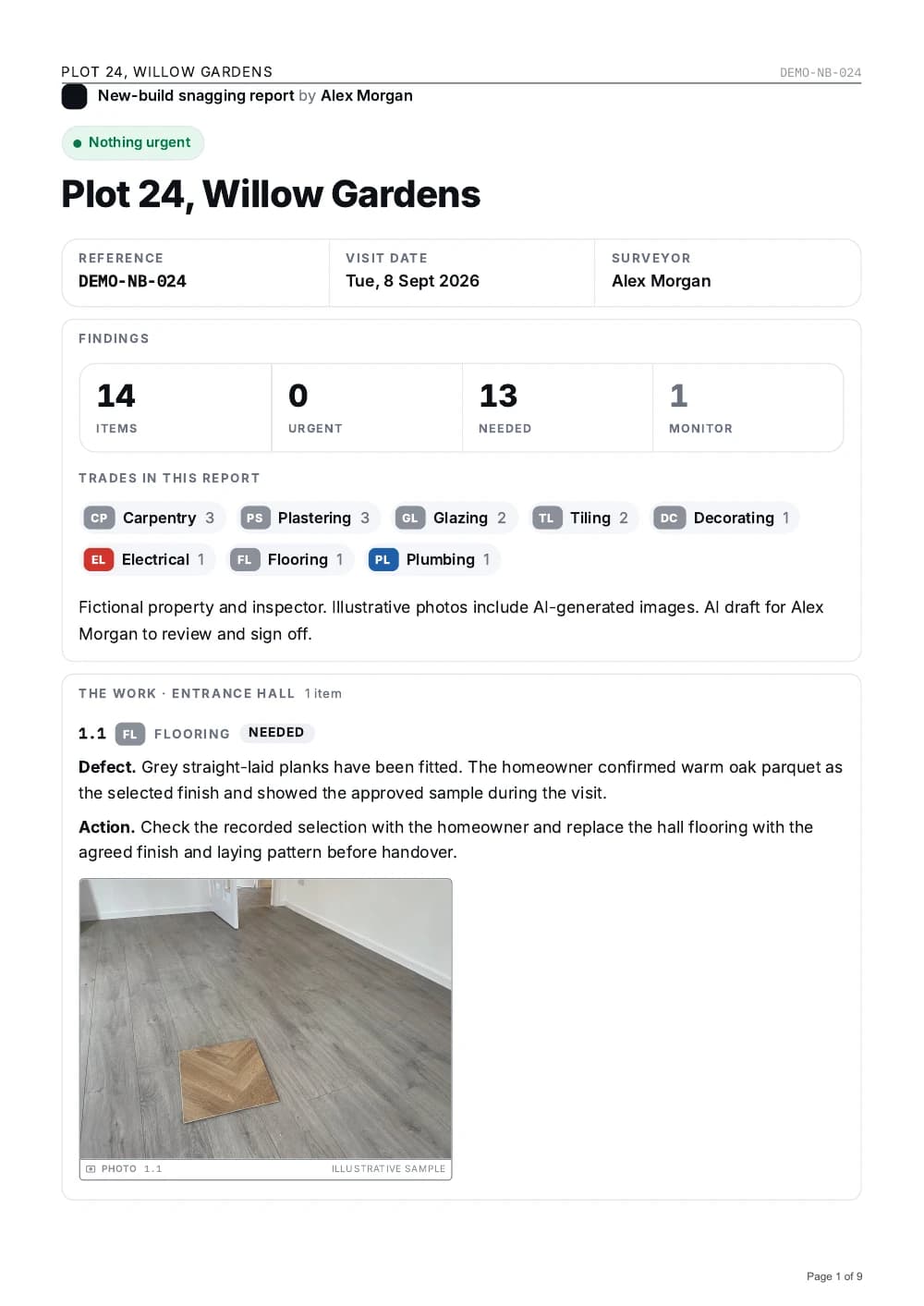
A4 PDF grouped by room for the walk and by trade for the pricing, with a QR code that opens the same report with the clips playing.
It is not only for new builds
The same walk produces the same document whatever the reason you are in the property.
If your day ends with writing up what you saw, this ends that. See what a scope of works has to contain for the professional version of the same document.
And this is what comes out
One document per visit. Grouped by room for the walk and by trade for the pricing, with your photographs and your circles on the lines they belong to.
For the contractor
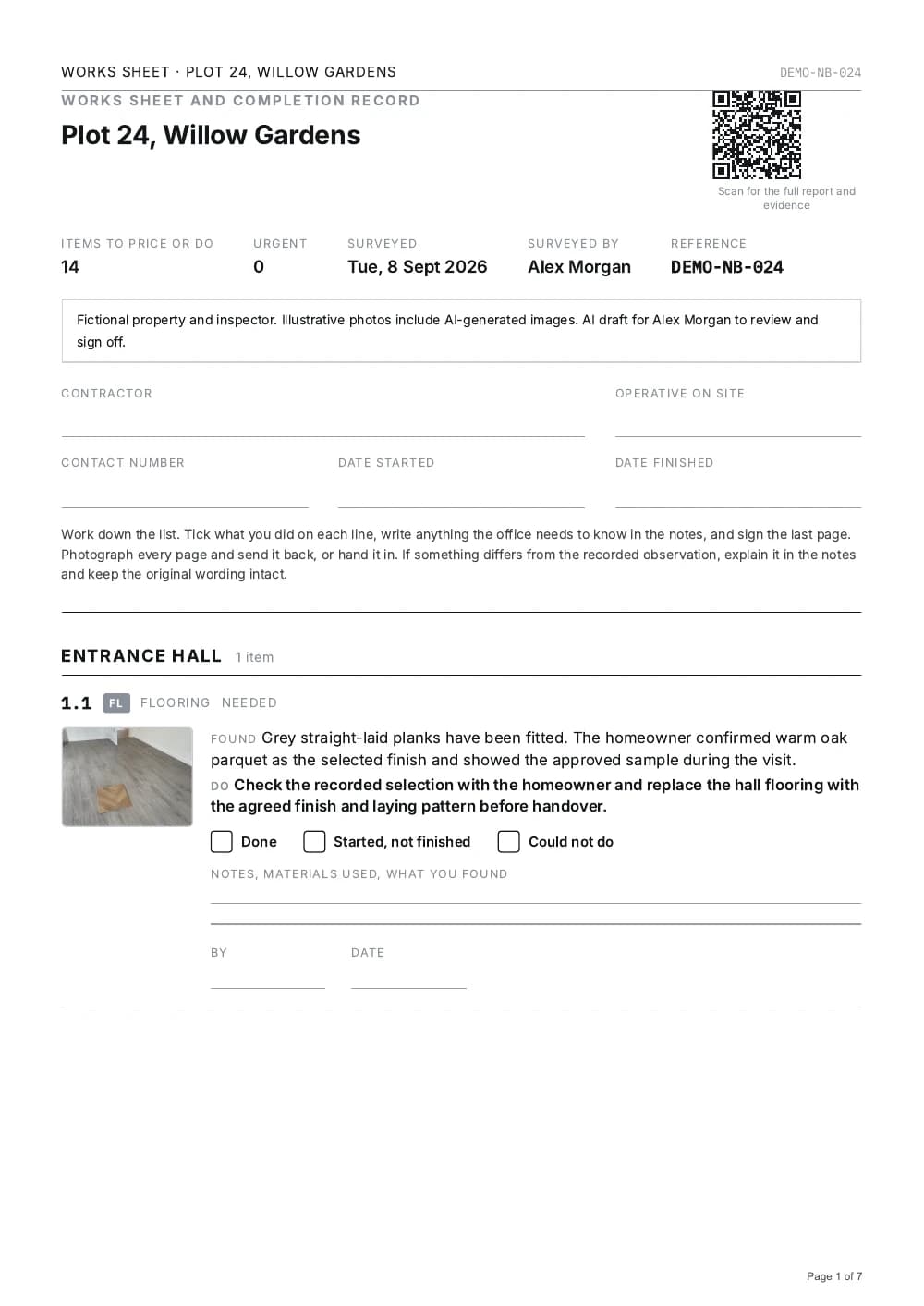
Works sheet
The same 14 numbered snags. Print it for notes, materials used and completion.
Open the 7-page works sheetWhether this is for you
You will probably get on with it if
- You would rather talk than type, and you talk about buildings all day.
- You already take the photographs. You just never turn them into anything.
- You want the job written up before you get back in the van, not after dinner.
- You think a line nobody can price is not a line.
- You have lost an argument once for want of a dated photograph, and you did not enjoy it.
It is probably not for you if
- You want to configure templates, checklists and workflows before your first photo. There is nothing to configure and that is deliberate.
- You need assignees, due dates and a close-out workflow. This records what is wrong. It does not manage the fixing.
- You want the app to estimate quantities or prices. Record those yourself and check the AI draft before sharing.
- Your walk is already written up perfectly by somebody else, for free.
Start free. Share one report a week free, up to 10 jobs. AI usage limits apply. What it costs after that.
Questions people ask
Is there a free snagging app?
Capture photos, record notes and review your reports for free. Share one report every seven days with up to 10 jobs. Cloud AI transcription and drafting have a separate usage allowance, explained on the pricing page. Pro removes the weekly export limit and job cap for £34.99 a month or £299 a year. One report costs £19 without a subscription. Every report carries a Made with SayScope credit.
Does it work without an internet connection?
Yes, for capture after the app has been opened online. Photos, clips and voice notes save on the device. Cloud AI drafting, uploads and sharing need a connection.
What does the finished snagging report look like?
An A4 PDF grouped by room for walking the property and by trade for pricing the work, with your photographs and the circles you drew on them, signed off in the name of the person who did the inspection.
Can I send the report to my builder?
Yes. Export the PDF and send it however you like, or share a link that opens the same report in a browser with the video clips playing. The person receiving it does not need the app or an account.
Do I need an account to start?
You can try your first visit without an account. In the iPhone app, free sign-in with Apple or Google is required from the second visit and links your work to your account. The browser version saves work in the browser you use; keep that browser’s data to retain access.
Open it. Type an address. Start.
Start free. Share one report a week free, up to 10 jobs. AI usage limits apply.
One free report a week · Up to 10 jobs · No card