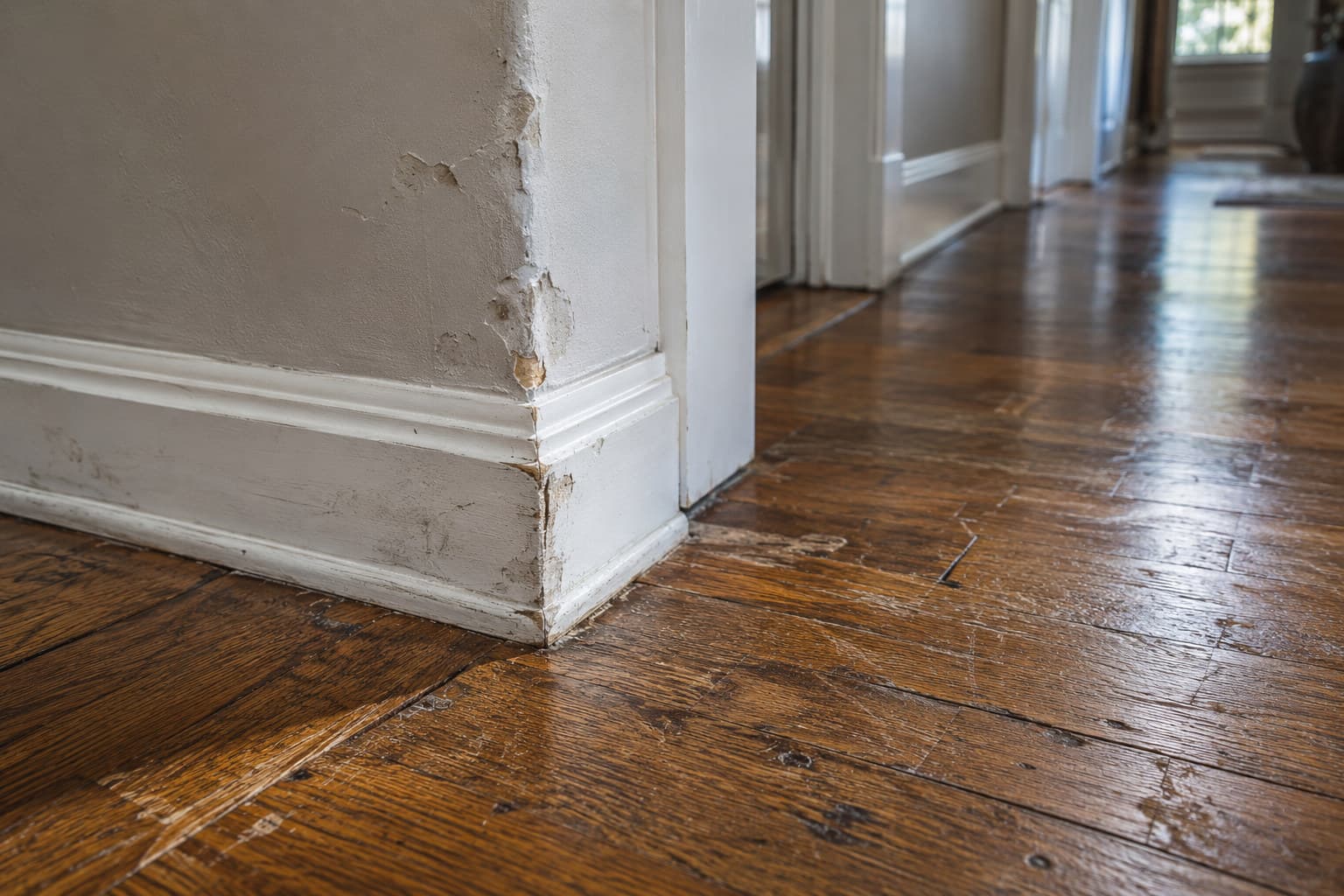
If a contractor damaged your property, the strongest thing you can do today is photograph the damage carefully and build a clear, dated record, even if you never took a “before” picture.
Why the before picture matters, and what to do without one
Most homeowners do not think to photograph a countertop, a floor, or a driveway before work starts. There is no reason to, until something gets damaged. Once a contractor chips the tile, cracks the driveway, or dents the drywall, you are left trying to prove a before state that no longer exists.
You cannot create a before picture after the fact, but you can do the next best thing: build an airtight after record right now, dated, detailed, and specific enough that the damage speaks for itself. Combined with anything you do have, like old listing photos, insurance photos, or a casual phone picture from months ago, a strong after record is often what actually carries a claim forward.
What to photograph right now
Work room by room and be methodical. The goal is a record that someone who never saw your property could still understand.
- Wide shots of the whole room or area, so the damage has context
- Close-up shots of the actual damage, in focus, with good light
- A shot with something for scale next to the damage, like a tape measure or a coin
- Photos from more than one angle, since cracks and dents can be hard to see straight-on
- Any related damage nearby, like water staining near a crack or debris near a dent
- The date and time your phone stamps on the photo, left turned on, not edited out
What to write down alongside each photo
A photo alone can raise questions. A photo paired with a short, specific description answers them.
- 1What the damage is, in plain language (cracked tile, dented drywall, scratched countertop)
- 2Where it is, specifically (northeast corner of the kitchen, third stair tread from the bottom)
- 3When you noticed it and when you believe it happened, if you know
- 4Who was working in that area around that time, if you know
- 5Whether it was reported to the contractor, and when
This is also where a walkthrough app helps. SayScope lets you photograph the damage, circle the exact spot on the photo, and hold a button to say out loud what happened, so the description is captured in your own words at the moment you noticed it, not reconstructed from memory weeks later.
Build a timeline, not just a photo pile
A folder of random photos is hard to use later, for you or for anyone else reviewing the situation. A dated timeline is much stronger.
- Note the date work started and the trades or crews on site each day, if you know
- Log the date you first noticed the damage
- Log every conversation with the contractor about it, including the date and what was said
- Keep copies of any texts, emails, or written estimates for repair
This kind of day-by-day record is similar in spirit to a daily log that a contractor or project manager might keep on a job, showing who was on site, what was done, and conditions that day. You are building your own version of that record from the homeowner’s side.
Get a repair estimate before you talk numbers
Before any conversation about who pays for what, get at least one independent estimate for the repair itself. A written estimate from someone other than the contractor who caused the damage gives you a concrete number to point to, and it documents the extent of the damage from a professional’s perspective, which supports your photos and notes.
What your state’s rules mean for you
Property damage claims against a contractor can involve several different paths, including the contractor’s insurance, your own homeowner’s policy, a contract dispute, or in some cases a small claims filing. The notice you may need to give, the time you have to act, and the dollar limits involved are all set by each state’s own law and differ from state to state. Check the specific rules for the state where the property sits, or talk to a lawyer licensed there, before you rely on any deadline or process.
If more work is still happening on the property
If the contractor is still on site for other work, keep documenting every new item as it happens rather than waiting until the end of the job. SayScope walkthroughs are free and unlimited, so you can do a quick pass after each visit, photograph and circle any new issue, and narrate what you see. Each account can send one report a week at no cost, grouped by room and by trade, which is useful if you need to hand a clear record to an insurer, a mediator, or a second contractor. If you are documenting a larger project or need more than one report in the same week, a paid plan lifts the weekly limit and the item cap.